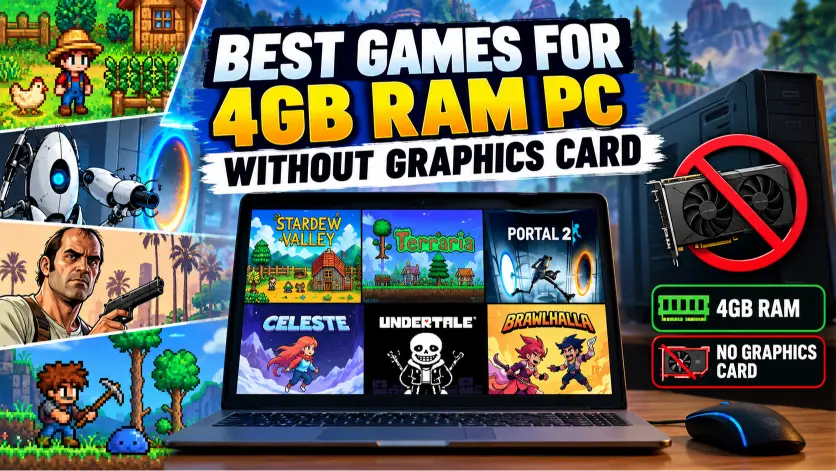
Not everyone has a gaming PC with a powerful graphics card and 16GB of RAM. Plenty of people still use older desktops, office computers, or budget laptops with just 4GB of memory. And if you’re one of them, you probably know how frustrating it can be to download a game only to discover that your PC can barely run it.
The good news? You don’t need expensive hardware to enjoy great games.
Some of the most entertaining PC games rely on clever gameplay, interesting stories, and creative visuals rather than demanding graphics. From relaxing farming adventures to challenging platformers and multiplayer battles, there’s a surprisingly good selection available for low-end computers.
In this guide, we’ll explore 12 of the best games for a 4GB RAM PC without a dedicated graphics card. We’ll also cover their minimum memory requirements, what makes them worth playing, and a few practical ways to improve performance.
Before getting started, remember that 4GB of RAM is only part of the equation. Your processor and integrated graphics chip matter too, so performance will vary between computers.
Can You Play Games on a 4GB RAM PC Without a Graphics Card?
Yes, absolutely.
Most laptops and many desktop processors include integrated graphics, such as Intel HD Graphics, Intel UHD Graphics, or AMD Radeon integrated graphics. These chips handle video output and can run games without a separate NVIDIA or AMD graphics card.
The main limitation is that integrated graphics share your computer’s system memory. When you have only 4GB of RAM, Windows, background applications, and the game are all competing for a fairly small amount of memory.
That’s why lightweight 2D games, older 3D titles, and well-optimized indie games are often safer choices than modern blockbuster releases.
For a better experience, look for games with minimum RAM requirements below 4GB, check that your integrated GPU supports the required graphics features, and keep unnecessary background applications closed.
One more thing: meeting a game’s minimum requirements doesn’t guarantee perfectly smooth gameplay. It’s always worth checking the full specifications before purchasing.
Quick Comparison: Best Low-End PC Games
| Game | Minimum RAM | Genre |
|---|---|---|
| Stardew Valley | 2GB | Farming RPG |
| Terraria | 2.5GB | Survival Sandbox |
| Portal 2 | 2GB | Puzzle Adventure |
| Celeste | 2GB | Platformer |
| Undertale | 2GB | Story RPG |
| Balatro | 1GB | Card Strategy |
| Brawlhalla | 2GB | Fighting |
| Plants vs. Zombies GOTY | 1GB | Tower Defense |
| Papers, Please | 2GB | Puzzle Simulation |
| The Stanley Parable | 2GB | Story Adventure |
| OpenTTD | 256MB | Business Simulation |
| Vampire Survivors | 1GB | Action Roguelite |
These figures reflect published minimum memory requirements, not guaranteed performance on every integrated GPU.
1. Stardew Valley — Best for Relaxing Gameplay
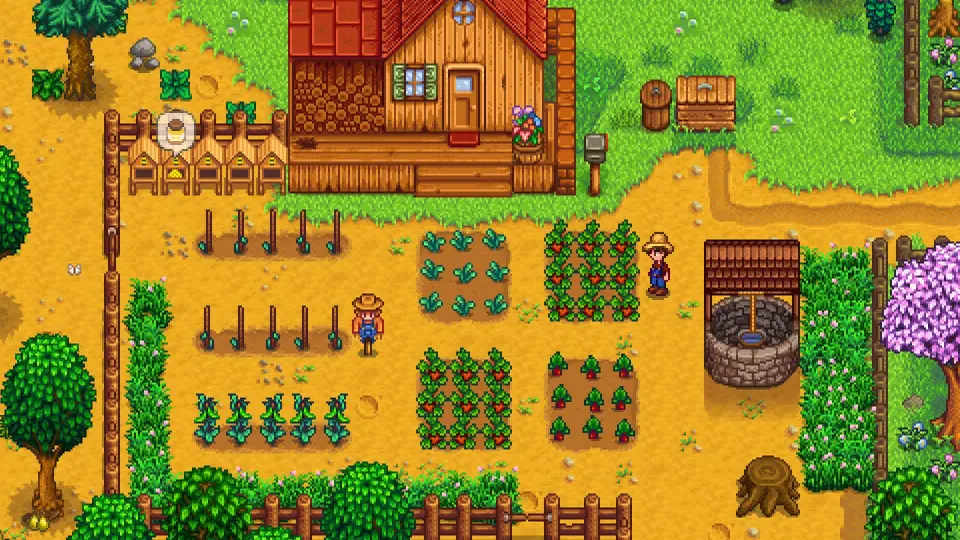
If you’re tired of fast-paced action games, Stardew Valley is an excellent change of pace.
You inherit an old farm and gradually turn it into a thriving little business. Growing vegetables, raising animals, fishing, exploring caves, and getting to know the local villagers are all part of everyday life.
What makes Stardew Valley so enjoyable is the freedom it gives you. You can spend an entire day organizing your farm or ignore farming for a while and explore the mines instead.
Its colorful pixel-art graphics are also much less demanding than those of modern 3D games.
Minimum requirements: 2GB RAM, 2GHz processor, and graphics supporting Shader Model 3.0 with 256MB video memory.
Why it’s worth playing: There’s always something new to work toward, and you can enjoy the game at your own pace.
For a budget laptop with compatible integrated graphics, Stardew Valley is one of the first games worth considering.
2. Terraria — Best for Exploration and Survival
Terraria might look simple at first, but underneath its 2D graphics is a surprisingly huge adventure.
You begin with basic tools in a randomly generated world. From there, you can dig underground, collect valuable resources, build houses, craft weapons, and fight increasingly difficult bosses.
There’s no single way to approach the game. Some players enjoy building elaborate structures, while others spend their time hunting for rare equipment and preparing for the next boss battle.
Terraria’s relatively modest requirements make it attractive for older computers, although large worlds and chaotic battles can still create slowdowns.
Minimum requirements: 2.5GB RAM, a 2GHz processor, and graphics with 128MB video memory and Shader Model 2.0 support.
Why it’s worth playing: It combines exploration, crafting, combat, and creativity in one package.
If you enjoy sandbox games but don’t have the hardware for demanding 3D worlds, Terraria deserves a look.
3. Portal 2 — Best Puzzle Game for Older PCs
Portal 2 proves that a memorable game doesn’t need constant explosions or enormous open worlds.
Instead, it gives you a portal gun and asks you to solve increasingly imaginative puzzles inside the mysterious Aperture Science facility.
By placing connected portals on certain surfaces, you can move between locations, redirect objects, and overcome obstacles that initially seem impossible.
The writing is another highlight. Funny dialogue, unusual characters, and clever surprises make the journey entertaining even when you’re stuck on a difficult puzzle.
Portal 2 is also one of the more interesting 3D options for older integrated graphics.
Minimum requirements: 2GB RAM, a compatible processor, and graphics equivalent to Intel HD Graphics 2000 or better.
Why it’s worth playing: Excellent puzzle design, a memorable story, and a separate cooperative campaign.
If your PC meets the graphics requirements, Portal 2 can offer a rewarding experience without modern gaming hardware.
4. Celeste — Best for Challenging Platforming
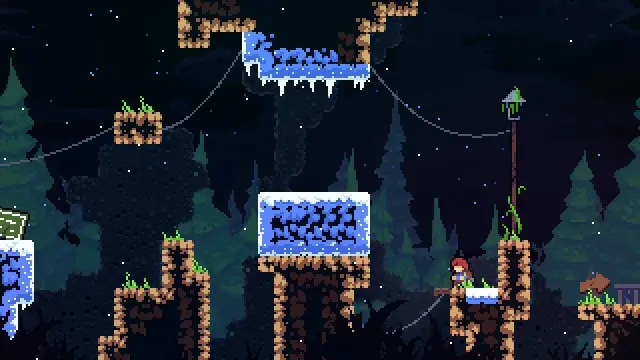
Celeste is a wonderful choice if you enjoy games that reward patience, timing, and practice.
You play as Madeline, a young woman trying to climb a mountain while dealing with personal struggles along the way.
The controls are simple: run, jump, climb, and dash. But the levels gradually combine those actions into increasingly demanding challenges.
You’ll probably fail certain sections many times. Fortunately, the quick restart system makes trying again feel natural rather than frustrating.
Celeste also has beautiful pixel art and a soundtrack that fits the emotional story perfectly.
Minimum requirements: 2GB RAM, an Intel Core i3 M380 processor, and Intel HD Graphics 4000 or equivalent.
Why it’s worth playing: Responsive controls, thoughtful storytelling, and rewarding level design.
It’s especially appealing for low-end PC owners who want a polished single-player game with precise movement.
5. Undertale — Best Story-Driven RPG
Undertale is one of those games that’s difficult to explain without spoiling what makes it special.
You control a human who falls into an underground world inhabited by monsters. Along the way, you’ll meet unusual characters, solve puzzles, and face enemies in creative battles.
The interesting part is that fighting isn’t always necessary.
You can often interact with enemies in different ways, and your decisions influence how the story unfolds.
Its retro-inspired graphics are simple, but the writing, humor, and music give the experience plenty of personality.
Minimum requirements: 2GB RAM and graphics with 128MB video memory.
Why it’s worth playing: Strong characters, meaningful choices, and a story that encourages multiple playthroughs.
Undertale is a good reminder that a game doesn’t need realistic graphics to leave a lasting impression.
6. Balatro — Best Lightweight Strategy Game
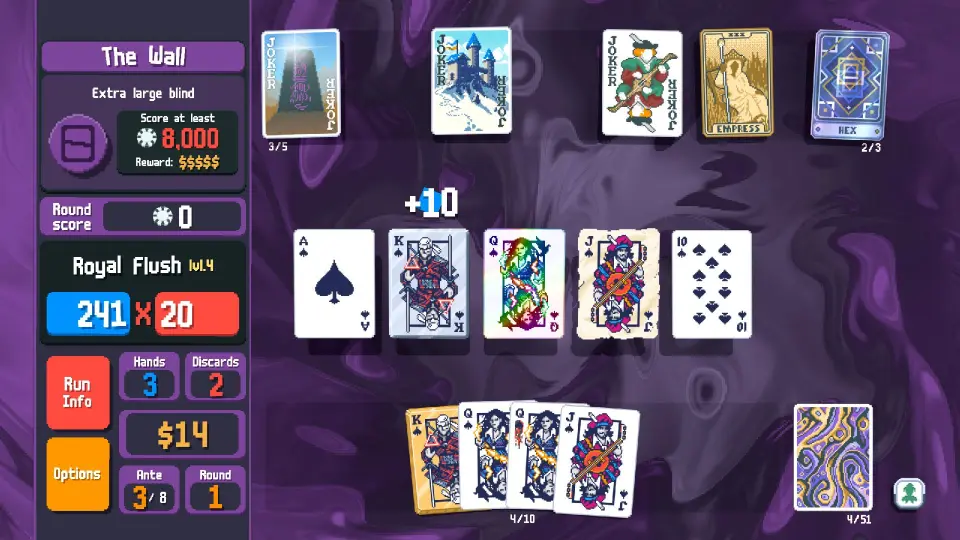
Balatro takes the familiar idea of poker hands and turns it into an addictive strategy game.
Instead of playing ordinary poker against other people, you build powerful combinations using special cards, upgrades, and unusual Joker effects.
A run might start with a fairly basic strategy. Then you discover a combination that completely changes how your cards work.
Finding those surprising combinations is a big part of the fun.
Balatro is particularly interesting for computers without dedicated graphics because its official requirements explicitly mention integrated graphics support.
Minimum requirements: 1GB RAM, an Intel Core i3 processor, and integrated graphics compatible with OpenGL 2.1.
Why it’s worth playing: Easy to understand, difficult to master, and highly replayable.
If you prefer thinking through your next move rather than relying on fast reflexes, Balatro is an excellent option.
7. Brawlhalla — Best Free Multiplayer Fighting Game
Want something competitive without spending money? Brawlhalla is worth checking out.
It’s a free-to-play platform fighting game where colorful characters battle across different arenas. The goal is to knock your opponents off the stage while avoiding the same fate yourself.
You can play casual matches with friends or practice your skills in more competitive modes.
The controls are approachable, although experienced players can pull off some impressive combinations and movement tricks.
Minimum requirements: 2GB RAM, with 4GB listed as the recommended memory amount.
Why it’s worth playing: Free access, quick matches, and plenty of opportunities to improve.
Because online multiplayer also depends on your internet connection, a stable network is important alongside compatible hardware.
For an older laptop, it’s a convenient game to try before purchasing anything.
8. Plants vs. Zombies GOTY Edition — Best Casual Strategy Game
Sometimes the simplest game ideas are the most entertaining.
In Plants vs. Zombies, you defend your house from approaching zombies by placing different plants across your lawn.
Peashooters attack enemies, sunflowers generate resources, and other plants provide defensive abilities. As new zombie types appear, you’ll need to adjust your strategy.
The game introduces new ideas gradually, making it approachable even if you don’t usually play strategy games.
Despite its cheerful appearance, some later stages require careful planning.
Minimum requirements: 1GB RAM, a 1.2GHz processor, and 128MB video memory.
Why it’s worth playing: Easy-to-learn mechanics, charming presentation, and satisfying strategic challenges.
For people using older office desktops or basic laptops, the original Game of the Year Edition remains an appealing choice.
9. Papers, Please — Best for Unusual Puzzle Gameplay
Papers, Please turns an ordinary-looking job into a surprisingly tense experience.
You work as an immigration inspector at a border checkpoint. Your responsibility is to examine documents and decide who can enter the fictional country of Arstotzka.
That sounds straightforward until the rules become more complicated.
You’ll compare passports, inspect permits, spot inconsistencies, and make difficult decisions while trying to earn enough money to support your family.
The pressure comes from balancing accuracy, time, and the consequences of your choices.
Minimum requirements: 2GB RAM, a 1.5GHz Core 2 Duo processor, and OpenGL 1.4-compatible graphics.
Why it’s worth playing: Original mechanics and an unusually engaging atmosphere.
It’s especially suitable for people who enjoy slower, thoughtful games rather than action-heavy experiences.
10. The Stanley Parable — Best for Narrative Exploration
The Stanley Parable begins with a simple situation: an office worker named Stanley discovers that everyone around him has disappeared.
A narrator guides him through the building, but you don’t always have to follow those instructions.
In fact, choosing not to follow them is where some of the game’s most interesting moments begin.
The experience plays with expectations, storytelling, and the idea of choice in video games.
Although it uses 3D environments, the original version has relatively modest published hardware requirements.
Minimum requirements: 2GB RAM and compatible graphics, including Intel HD Graphics 2000 or newer.
Why it’s worth playing: Clever writing, unusual humor, and multiple narrative paths.
Make sure you’re checking the original game rather than The Stanley Parable: Ultra Deluxe, which has different system requirements.
11. OpenTTD — Best Free Simulation Game
OpenTTD is a great option for anyone who enjoys management games.
You build a transportation company by connecting towns, factories, and industries using roads, railways, ships, and aircraft.
At first, you might only operate a small railway carrying passengers between two towns. Eventually, your network can grow into a complicated transport system.
The real challenge is balancing costs, improving routes, and keeping your business profitable.
OpenTTD is free and open source, with exceptionally modest published memory requirements.
Minimum requirements: Just 256MB RAM.
Why it’s worth playing: Deep management gameplay and a huge amount of creative freedom.
It’s particularly attractive if your PC struggles with newer simulation games but you still want something with long-term depth.
12. Vampire Survivors — Best for Fast-Paced Action
Vampire Survivors is simple to control but surprisingly difficult to put down.
Your character moves around an arena while weapons attack approaching enemies automatically.
As you survive, you collect experience, unlock upgrades, and gradually become more powerful.
The screen can eventually fill with enemies and visual effects, which makes every successful run feel chaotic and satisfying.
However, this is one game where the graphics requirement deserves extra attention.
Minimum requirements: 1GB RAM, Windows 10 64-bit, and graphics supporting DirectX 11 or DirectX 12.
Why it’s worth playing: Quick sessions, satisfying upgrades, and strong replay value.
The game may run on some compatible integrated GPUs, but older chips lacking DirectX 11 support won’t meet its requirements. Heavy late-game effects can also affect performance.
How to Make Games Run Better on a 4GB RAM PC
Finding a lightweight game is only half the battle. A few basic adjustments can also help your computer use its limited resources more efficiently.
Lower the Screen Resolution
If a game struggles at 1920×1080, try 1280×720.
Rendering fewer pixels can reduce the workload on integrated graphics. The image won’t be quite as sharp, but the trade-off may be worthwhile.
Close Background Applications
Web browsers, launchers, and other applications consume memory even when you’re not actively using them.
Before starting a game, close programs you don’t need. On a 4GB system, freeing a little extra RAM can make a noticeable difference.
Choose Low Graphics Settings
Start with shadows, visual effects, and other demanding settings on Low.
If the game performs well, increase individual settings gradually until you find a balance between visuals and responsiveness.
Keep Your Graphics Drivers Updated
Outdated graphics drivers can cause compatibility problems or prevent certain games from working correctly.
Download drivers from your laptop manufacturer, Intel, or AMD when a compatible update is available. Avoid unknown driver-download websites.
Avoid Unnecessary Mods
Mods can add great features, but some also increase memory consumption or graphical demands.
For older PCs, starting with the standard game is usually the safer choice. Add modifications only after confirming that the base game runs properly.
Keep Enough Free Storage
Running out of disk space can cause installation and update problems.
Keep some free space available, and if your PC has a hard drive rather than an SSD, remember that an SSD can improve loading and system responsiveness without necessarily increasing game FPS.
Frequently Asked Questions
Can a 4GB RAM PC run games without a graphics card?
Yes. A PC with compatible integrated graphics can run many lightweight, older, and 2D games without a dedicated graphics card. The processor, graphics capabilities, operating system, and available memory determine which games will work.
What are the best free games for a 4GB RAM PC?
Brawlhalla and OpenTTD are two good options from this list. Brawlhalla focuses on online fighting, while OpenTTD offers management and transportation simulation.
Can I play GTA V on a 4GB RAM PC without a graphics card?
GTA V is not a reliable recommendation for a basic 4GB RAM computer with older integrated graphics. The original PC version has much more demanding graphics requirements than the lightweight games listed here, and newer editions are more demanding still.
Is Intel HD Graphics good enough for gaming?
It depends on the model. Intel HD Graphics 2000, HD 4000, and newer integrated graphics have different capabilities. Some games will run on older chips, while others require more recent graphics features.
Is 4GB RAM enough for Windows 11 gaming?
Windows 11 supports 4GB RAM as a minimum system requirement, but that leaves limited memory for games and background applications. Lightweight titles are more realistic choices, and upgrading to 8GB can improve the overall experience if your computer supports it.
Final Thoughts
Owning a low-end PC doesn’t mean you have to miss out on good games.
Stardew Valley offers relaxing farming and exploration, Terraria provides a world full of adventures, and Portal 2 delivers clever puzzles. If you prefer something competitive, Brawlhalla is free to try, while Balatro and Papers, Please offer memorable strategy experiences.
For very limited hardware, OpenTTD and Plants vs. Zombies are especially sensible starting points.
The important thing is to choose games that fit your actual hardware rather than relying on RAM alone.
Check your integrated graphics model, compare it with the game’s requirements, and start with modest settings. You may find that your older PC still has plenty of enjoyable gaming left in it.